
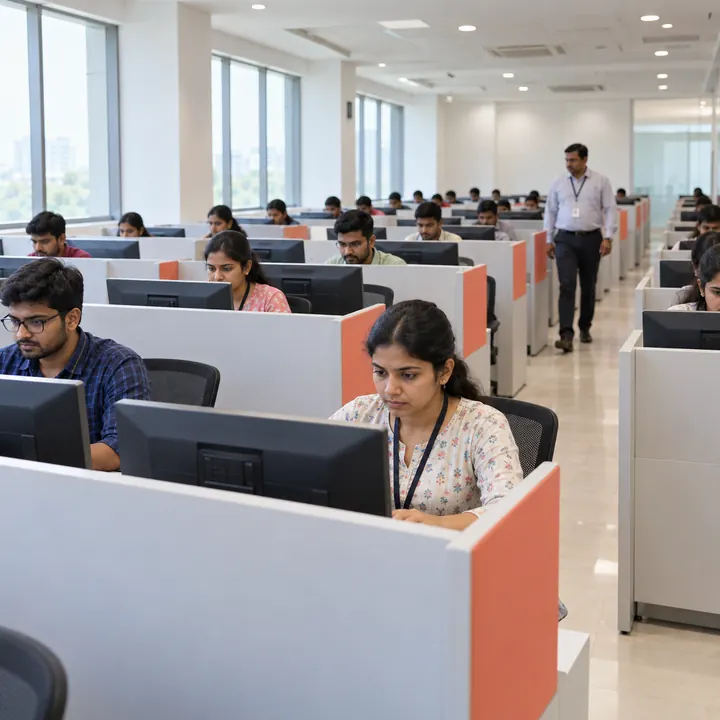
A centre with 200 workstations and no tested power backup is, for a three-hour computer-based test, a nought-seat centre. So is one with 200 machines on a single internet line during monsoon. Capacity is necessary and nowhere near sufficient, but it is the thing that gets quoted first because it is the easiest thing to count.
Here is what we check before a centre goes into our network, in rough order of how often it is the thing that fails.
1. Usable seats, not installed machines
Installed count includes machines that do not boot, seats too close together for your spacing rules, and positions no invigilator can see. Usable count is what is left: workstations that work simultaneously, are spaced to your requirement, and are visible. The gap between the two numbers is routinely ten to twenty per cent, and it is always discovered on exam morning rather than at booking.
Ask for the count that has been verified with every machine powered on at the same time. A lab that has never had all its workstations running together has not been tested at the load your exam will apply.
2. Power backup rated for the session, not for bridging
A UPS sized to give people time to save their work is not the same as backup sized to finish an exam. A three-hour session with a handover gap wants roughly four hours of continuous cover — and the cover has to include the servers and network equipment, not just the desktops. A lab on backup power with a dead switch is a lab full of candidates staring at frozen screens.
3. A second internet path, and evidence someone has tested the switch
One line is one point of failure for the whole shift. What matters is not that a second router exists but that the fallback is on a different provider or medium, and that the switchover has been rehearsed. An untested failover is a plan, not a backup.
4. Workstation specification
Screen size and resolution decide whether your paper renders as designed — a layout built for a certain viewport can wrap badly on smaller screens and change how long questions take to read. Keyboards matter for anything with typed answers. Where the exam uses audio, so do headsets, and they need to be checked per seat rather than sampled.
5. Invigilation sightlines
Partitions that stop candidates seeing each other's screens also stop an invigilator seeing the room. Good labs resolve this with height and layout rather than by choosing one or the other. Walk the room from where the invigilator will stand, not from the doorway.
6. Entry, verification and candidate flow
Candidate throughput at the door sets how late your session starts. A single entrance handling identity checks for 200 candidates is a queue, and a queue outside a building is a problem for whoever owns the building. Look for somewhere to verify identity that is not the corridor outside the hall, and a route in that does not cross the route out when a shift changes over.
7. Waiting space
Candidates arrive early. If there is nowhere to wait, they wait in the exam hall or in the street. Both create problems: one contaminates the room before the session, the other is where complaints come from. Washrooms and accessible access belong in the same check.
8. On-site technical cover for the whole session
Not a number to call. A person in the building, for the duration, who can replace a workstation and knows where the spares are. The question to ask is how many spare machines are configured and ready — not how many machines exist in storage.
9. One accountable person on the day
Every centre has a hierarchy. On exam day you need one name with the authority to make a decision when something breaks, and a way to reach them that is not the main reception number. Where this is unclear at booking it will be unclear at 9am.
Why we audit rather than ask
Self-declared facilities are not a reliable input. A centre filling in a form has every reason to answer generously and no way of knowing which of the nine above your exam actually depends on. Our own team checks facilities, connectivity, power backup and access, and audited venues surface first when a drive is being planned — which is the only version of this that survives contact with an exam morning.